
TECH BUYING GUIDE / ON-DEVICE AI / 2026
What Works Offline on Windows Laptops in 2026?
Find out which AI features work locally, what Copilot+ hardware adds, and when upgrading is actually worth the money.
Updated October 31, 2026
Affiliate disclosure: This article contains potential affiliate-link placements. We may earn a commission from qualifying purchases made through affiliate links, at no additional cost to you. As an Amazon Associate, we earn from qualifying purchases.
Buying an “AI laptop” sounds straightforward until you try to use its advertised features without Wi-Fi. Some AI tools run locally, some need an internet connection, and others combine local processing with online services.
That difference matters if you travel frequently, work with sensitive documents, rely on accessibility tools, or simply want a computer that remains useful when your connection fails.
The short answer: You do not need a new AI laptop for every offline AI task. Standard Windows 11 Live Captions already supports on-device speech captions on compatible systems. A Copilot+ PC becomes more compelling when you specifically need supported features such as live translation, advanced local AI experiences, or the dedicated NPU hardware that enables them.
The better buying question is not “How much AI does this laptop have?” It is “Which AI task do I need, where is it processed, and does my current computer already handle it?”
01 / THE ESSENTIAL DISTINCTION
What Is On-Device AI, and How Is It Different From Cloud AI?
On-device AI processes a task using hardware and software on your computer. Cloud AI sends some information to remote servers for processing. A hybrid feature may do part of its work locally and another part online.
An NPU, or neural processing unit, is a specialized processor designed to accelerate certain AI workloads efficiently. It is different from the CPU that handles general computing and the GPU commonly used for graphics and parallel processing.
A laptop having an NPU does not mean every AI application automatically uses it. Software support, model compatibility, Windows version, and feature availability still matter.
Microsoft documents local AI components for Copilot+ PCs, including Phi Silica, a small language model designed for supported on-device Windows AI experiences. That is not the same as saying every interaction with Microsoft Copilot runs offline.
The practical privacy distinction
Local processing can reduce the need to transmit task data to a server. But “on-device” is not a blanket guarantee that an entire application never connects to the internet.
Check the particular feature’s privacy documentation, synchronization settings, diagnostics, and any connected services before handling confidential material.
02 / WHAT REALLY WORKS
Which Windows AI Features Can Work Without Internet?
Live Captions: a useful starting point without buying a new PC
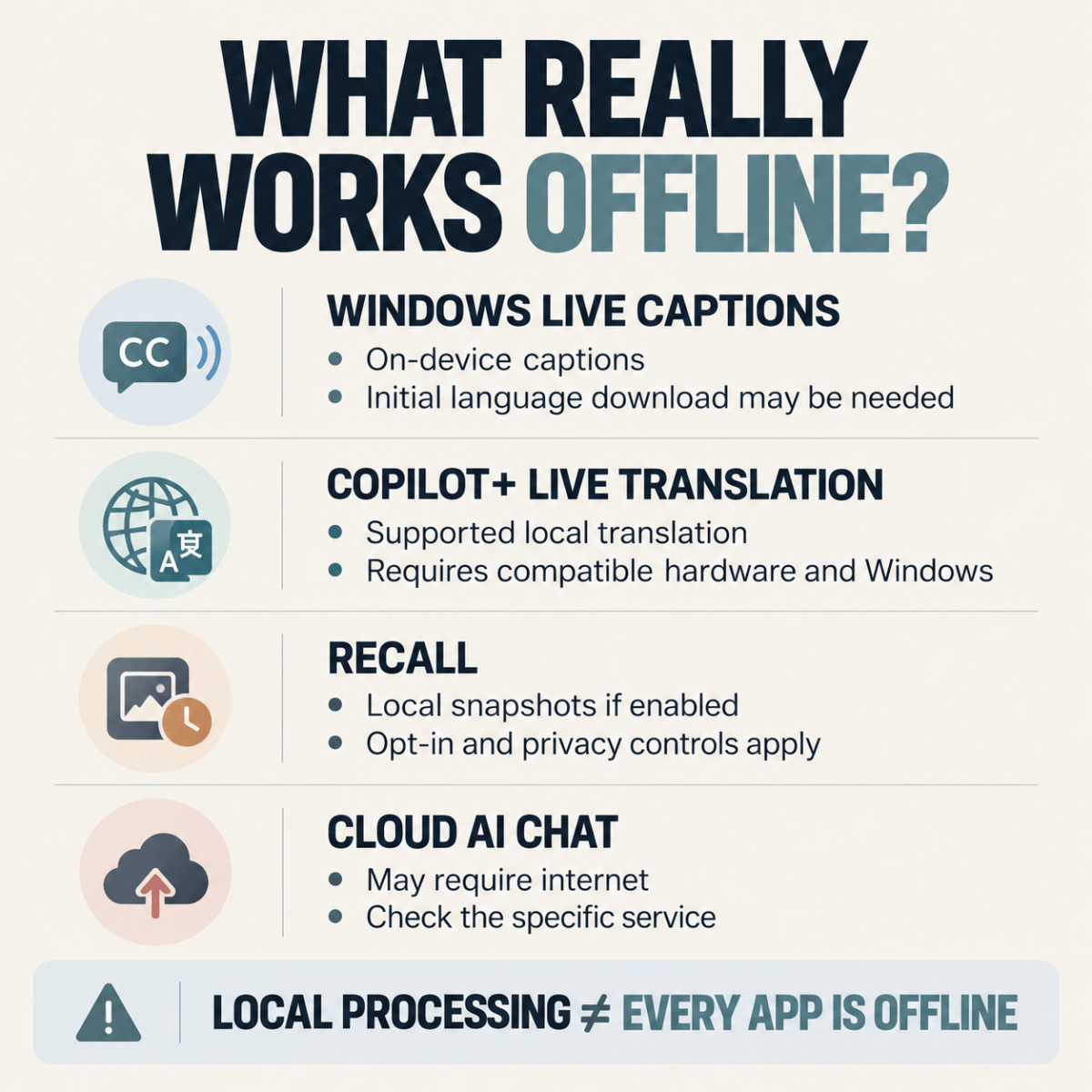
Windows 11 Live Captions converts speech into on-screen captions. Microsoft states that its audio processing and caption generation occur on the device and that captions can work while disconnected from the internet.
This is especially useful for watching videos, following spoken instructions, or improving accessibility.
However, the initial setup may require downloading speech-language files. Do not assume a freshly configured laptop can provide every language immediately while offline.
Live translation: where Copilot+ hardware becomes relevant
Supported Copilot+ PCs extend Live Captions with translation capabilities. Microsoft documents translation from more than 40 languages into English and from 27 languages into Simplified Chinese, subject to the supported Windows configuration.
For a frequent traveler or someone who regularly follows multilingual presentations, that is a more concrete reason to consider a Copilot+ PC than a generic “AI-powered” label.
Still, verify the exact input and output languages you need before purchasing. Supported language counts are not proof that every language pair is available.
Recall: local processing does not remove the privacy decision
Recall is a separate Copilot+ experience that can help users find previously viewed information using locally saved snapshots.
Microsoft says snapshot saving is opt-in, encrypted, and locally stored, with controls to pause, delete, or disable it. That does not make Recall essential for every buyer.
If periodic screen snapshots do not suit your privacy preferences or workplace rules, you can leave the feature disabled. Do not purchase a laptop primarily for Recall unless you understand and want that workflow.
AI chat and web answers: verify the service
A cloud-based chatbot may require connectivity even when used on a computer with a powerful NPU. Conversely, some specifically designed local AI applications can work offline after their models and dependencies are installed.
The decisive factor is the application and task—not the presence of an AI key on the keyboard.
03 / THE DECISION FRAMEWORK
Four Questions to Ask Before Paying for an AI Laptop
First, what is your actual offline task? If you mainly want English speech captions, test Windows Live Captions on your current PC before shopping.
Second, does the feature require Copilot+ hardware? Live translation and certain Windows AI experiences have hardware and operating-system requirements beyond ordinary Windows 11 features.
Third, are your everyday applications compatible? This is particularly important when comparing Windows-on-Arm laptops with traditional x86 Windows machines. Check your required software, peripherals, VPN, drivers, and specialized tools with their publishers.
Fourth, will you use the feature often enough to justify an upgrade? Occasional curiosity is a weak reason to replace a functional laptop. Repeated offline workflows, accessibility needs, or a broader hardware replacement cycle make a stronger case.
04 / REAL HARDWARE OPTIONS
Two Specific Windows Laptops Worth Comparing
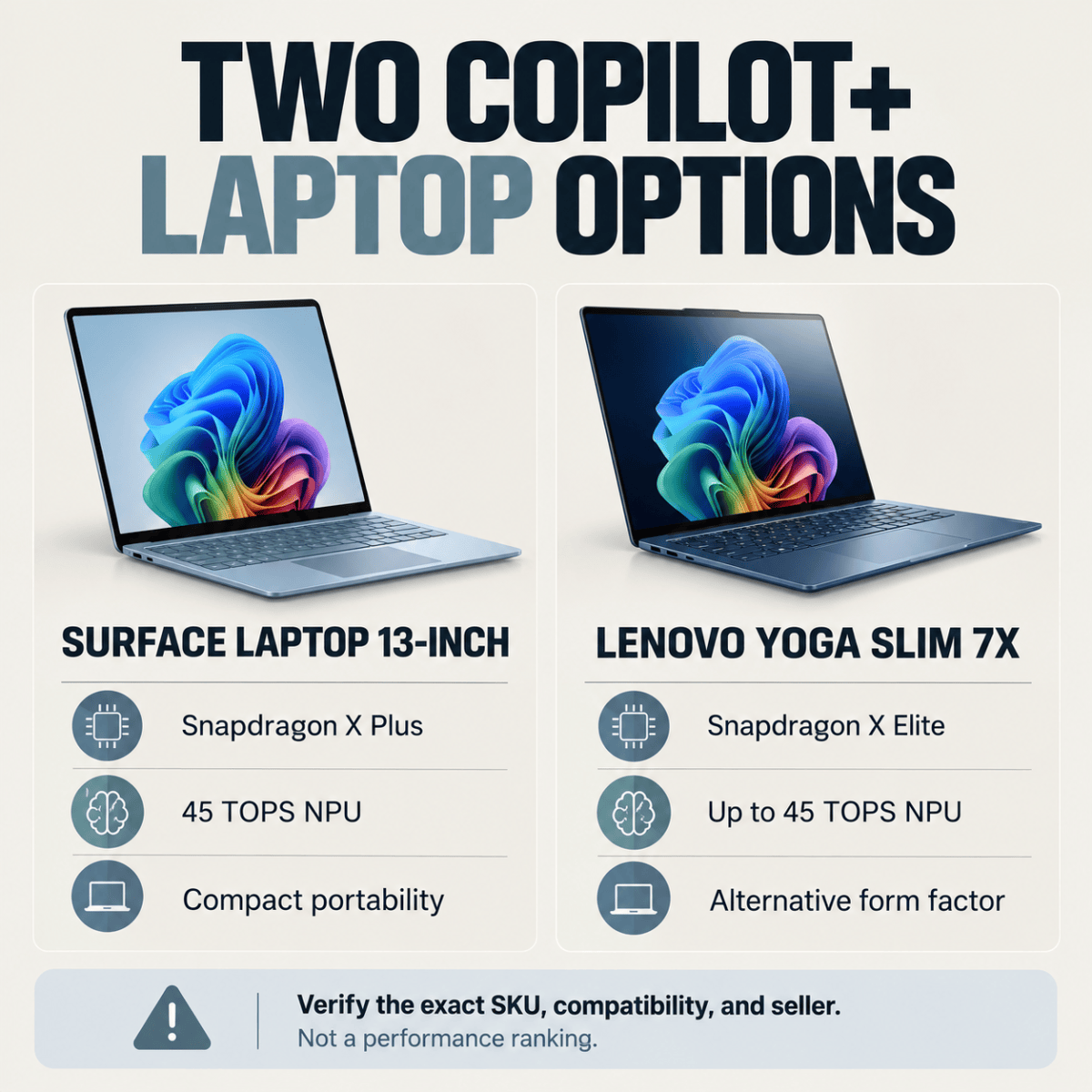
Microsoft Surface Laptop 13-inch — Snapdragon X Plus configuration
Microsoft lists a 13-inch Surface Laptop configuration with an eight-core Snapdragon X Plus processor, a Qualcomm Hexagon NPU rated at 45 TOPS, and 16GB RAM.
It is a sensible starting point for buyers who prioritize a portable Windows machine with documented Copilot+ hardware rather than the largest display.
The limitations are just as important: its compact screen may be less comfortable for extensive multitasking, and buyers should confirm compatibility with essential applications before choosing the Arm-based configuration.
Official specifications: Microsoft Surface Laptop 13-inch.
Best fit: A portability-focused buyer who needs supported Windows on-device AI features and has confirmed software compatibility.
Lenovo Yoga Slim 7x — Snapdragon X Elite configuration
Lenovo’s Yoga Slim 7x family uses Snapdragon X Elite hardware. Lenovo’s official documentation describes its integrated NPU capability of up to 45 TOPS in supported configurations.
This is an alternative for buyers considering a larger productivity-oriented laptop rather than Microsoft’s compact 13-inch form factor.
Do not assume that every listing with a similar Yoga name is the same machine. Verify the exact Yoga Slim 7x model, processor, RAM, keyboard region, warranty, and operating-system configuration.
Official reference: Lenovo Yoga Slim 7x.
Best fit: A buyer seeking an Arm-based Copilot+ laptop who prefers Lenovo’s form factor and has verified the specific U.S. listing.
These are hardware examples, not a benchmark ranking. The manufacturer specifications establish their NPU capabilities; they do not establish which laptop is faster in every AI task. Availability and current U.S. selling prices were not reliably established for both exact configurations at publication.
05 / COST AND VALUE
Is the AI Upgrade Worth the Extra Money?
Consider a hypothetical choice between keeping a working laptop and buying a new Copilot+ PC.
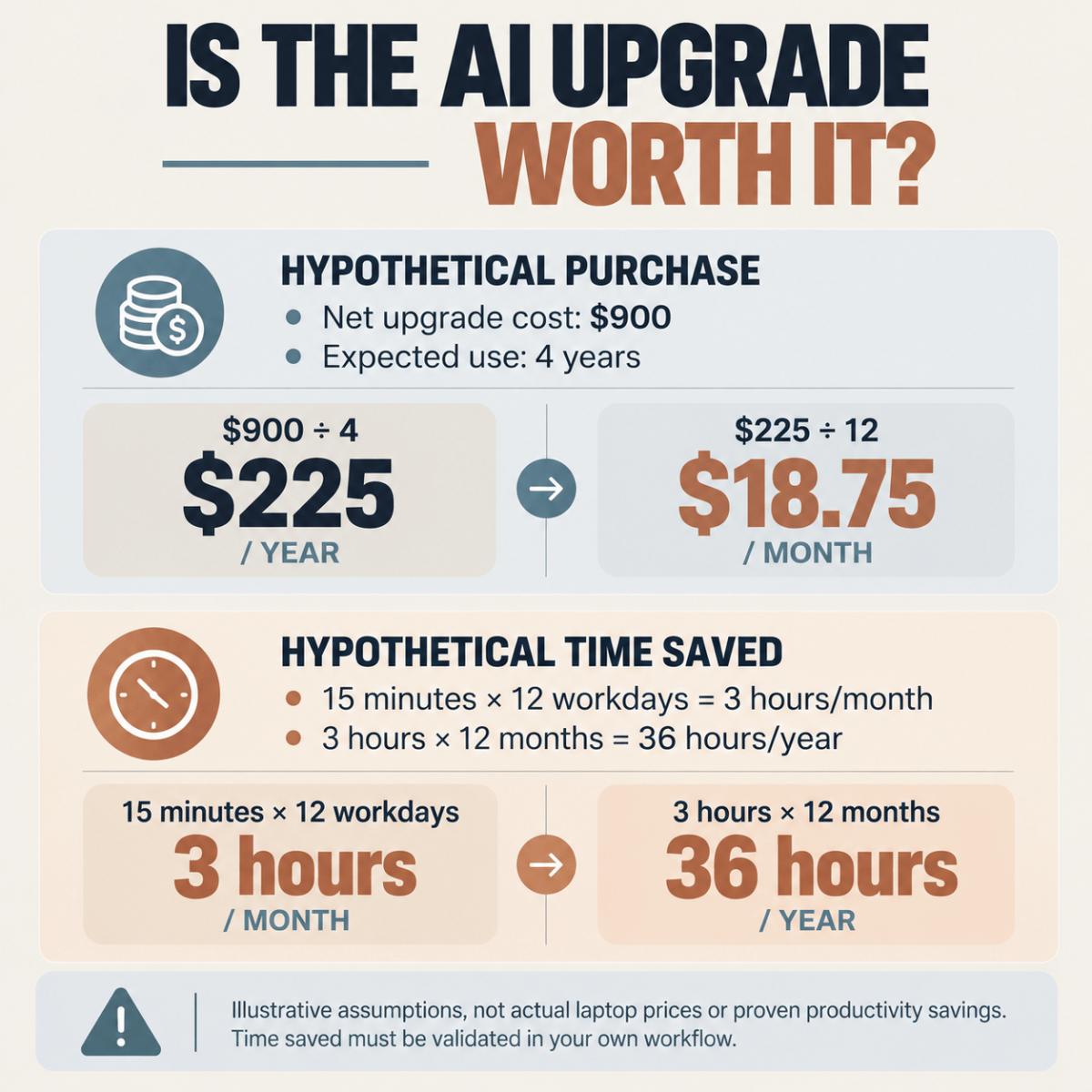
Suppose an upgrade costs $900 after accounting for any resale value, and you expect to use the replacement for four years.
The simple ownership calculation is:
$900 ÷ 4 years = $225 per year, or $18.75 per month.
That is not a forecast of market prices or actual savings. It is a way to make the decision tangible.
Now suppose the specific offline feature saves you 15 minutes on each of 12 workdays per month.
That is 3 hours per month, or 36 hours per year, before accounting for setup, mistakes, and workflow changes.
The meaningful question becomes whether those hours are genuinely saved, whether your existing laptop can already perform the task, and whether the new machine also improves battery life, reliability, portability, or other needs.
Do not count hypothetical productivity gains as guaranteed financial returns.
06 / BEFORE YOU BUY
A Five-Step Offline AI Buying Check
Start by testing the feature you want on your current computer. For Windows Live Captions, the shortcut is Windows + Ctrl + L. Complete the initial language setup while connected to the internet, then test your intended task offline.
Next, identify whether the feature you need requires a Copilot+ PC and whether it is supported on the Windows version you plan to use.
Third, verify the exact processor, NPU capability, RAM, and storage of the product listing—not just its marketing name.
Fourth, check compatibility for any essential applications and accessories. This matters more than an impressive AI specification if a required tool does not work correctly.
Finally, compare the actual checkout total, warranty, return policy, and seller identity before ordering.

07 / WHEN TO WAIT
When You Should Not Buy an AI Laptop Yet
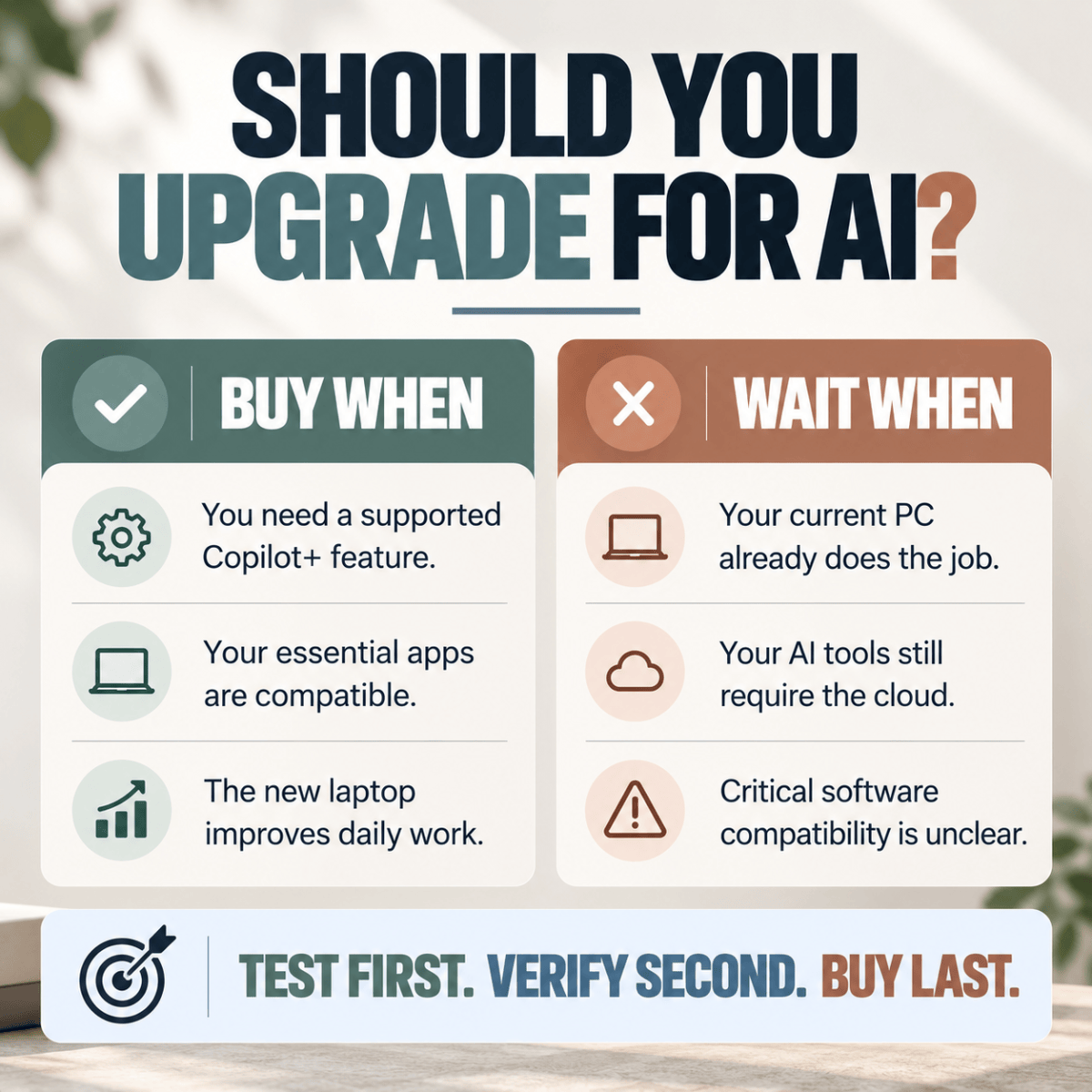
Keep your current laptop if it performs your everyday work reliably and already supports the offline feature you need.
Wait if your primary goal is to run an online chatbot, because buying an NPU-equipped computer does not automatically make that cloud service work offline.
Also wait if you depend on specialized software or hardware whose compatibility is uncertain, or if a listing does not clearly identify its processor and configuration.
A discounted laptop is not a bargain if it breaks a critical workflow.
08 / FREQUENTLY ASKED QUESTIONS
FAQs About On-Device AI in Windows Laptops
1. Does on-device AI always work without Wi-Fi?
No. Some features require an initial download, activation, update, or online service. Confirm the requirements for the exact feature and test it without connectivity.
2. Do I need a Copilot+ PC for Windows Live Captions?
Not for standard Windows 11 Live Captions on supported systems. Copilot+ hardware is relevant for the additional supported live-translation experience.
3. Does a 45 TOPS NPU mean one laptop is faster than another?
Not necessarily. TOPS describes a particular measure of theoretical AI processing capability. Real-world performance also depends on software, memory, model design, and the workload.
4. Is Recall automatically recording everything on a Copilot+ PC?
Microsoft describes Recall snapshot saving as opt-in, with user controls. Buyers should review its settings and their organization’s policies rather than assume every Copilot+ PC is automatically saving snapshots.
5. Can I use a cloud AI chatbot completely offline on a Copilot+ PC?
Not simply because the computer has an NPU. The chatbot service must explicitly support local operation. Some other local AI applications can work offline after setup.
6. Are Arm-based Windows laptops compatible with all older programs?
No compatibility guarantee covers every application, driver, or peripheral. Check the software publisher’s support information before buying.
7. Is it worth upgrading only for AI features?
Usually not unless a specific feature solves a recurring problem. If your current computer meets your needs, waiting may offer better value than paying for capabilities you rarely use.
09 / FINAL TAKEAWAY
Buy for a Workflow, Not an AI Label
A useful AI laptop is one that solves a problem you already have.
If your priority is basic on-device captions, begin with the Windows 11 PC you own. If you regularly need supported live translation or other Copilot+ experiences, compare verified hardware configurations and test software compatibility before purchasing.
If neither scenario applies, keeping your current laptop is a legitimate—and often financially sensible—decision.
The best next step: Write down your three most important tasks, confirm which require offline processing, and only then compare the exact laptop configurations.


Have a question or experience to share? Leave a comment below.